








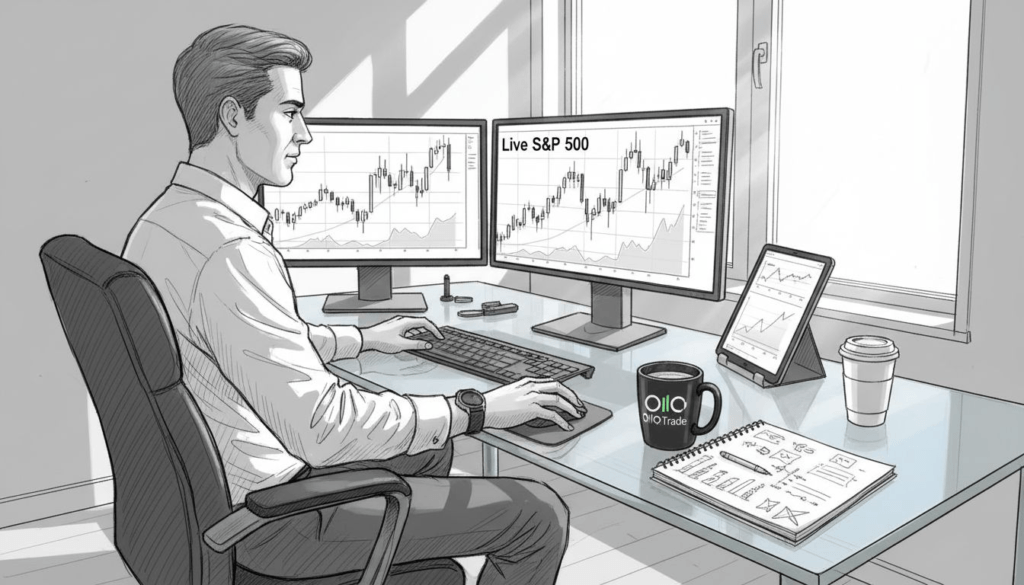
مطالعات نشان میدهد که هشدارهای معاملاتی از دست رفته، هر روز فرصتهای قابل توجهی را برای معاملهگران خرد از بین میبرند. تنظیمات تک دستگاهی، تنگناهایی ایجاد میکنند که سرعت اجرا را کاهش داده و آگاهی از بازار را در لحظات بحرانی محدود میکنند. معاملات چند دستگاهی با توزیع همزمان وظایف بین تلفنهای هوشمند، تبلتها و دسکتاپها، این مشکلات را حل میکند. این رویکرد، اجرای سریعتر، دسترسی مداوم به بازار و مدیریت ریسک برتر را ارائه میدهد. درک چگونگی استفاده از چندین دستگاه، عملکرد معاملاتی و موقعیت رقابتی را در بازارهای بیثبات متحول میکند.
فهرست مطالب
- درک معاملات چند دستگاهی: تعریف و زمینه
- چرا دسترسی مداوم به بازار 24 ساعته و 7 روز هفته اهمیت دارد؟
- تأثیر بر سرعت اجرای معاملات و تصمیمگیری
- نقش معاملات چند دستگاهی در مدیریت ریسک
- تصورات غلط رایج در مورد معاملات چند دستگاهی
- مقایسه پلتفرمها و ابزارهای چند دستگاهی
- چارچوبهای عملی برای معاملات کارآمد چند دستگاهی
- نتیجهگیری و مراحل بعدی برای معاملهگران
- با راهکارهای چند دستگاهی اولا ترید، هوشمندانهتر تجارت کنید
نکات کلیدی
| نقطه | جزئیات |
|---|---|
| دسترسی مداوم | تنظیمات چند دستگاهی، زمان از کارافتادگی را از بین میبرد و نظارت بیوقفه بر بازار را در تمام جلسات معاملاتی تضمین میکند. |
| اجرای سریعتر | تقسیم وظایف بین دستگاهها، تأخیر را کاهش داده و دقت زمانبندی معاملات را به میزان قابل توجهی بهبود میبخشد. |
| کنترل ریسک بهتر | نقاط دسترسی افزونه و قابلیتهای واکنش سریع، ضرر و زیان را در شرایط بیثبات بازار به حداقل میرسانند. |
| راهکار مقرون به صرفه | پلتفرمهای مدرن، امکان معامله با چندین دستگاه را بدون نیاز به سرمایهگذاریهای سختافزاری گرانقیمت یا پیکربندیهای پیچیده فراهم میکنند. |
| چارچوبهای اثباتشده | تخصصیسازی دستگاهها و گردشهای کاری منظم، از انباشت اطلاعات جلوگیری کرده و در عین حال، بهرهوری عملیاتی را به حداکثر میرساند. |
درک معاملات چند دستگاهی: تعریف و زمینه
معاملات چند دستگاهی به معنای انجام فعالیتهای معاملاتی با استفاده همزمان از چندین دستگاه به جای تکیه بر یک کامپیوتر یا تلفن هوشمند است. این رویکرد، عملکردهای مختلف معاملاتی را در پلتفرمهای سختافزاری مختلف توزیع میکند تا عملکرد و دسترسی را بهینه کند.
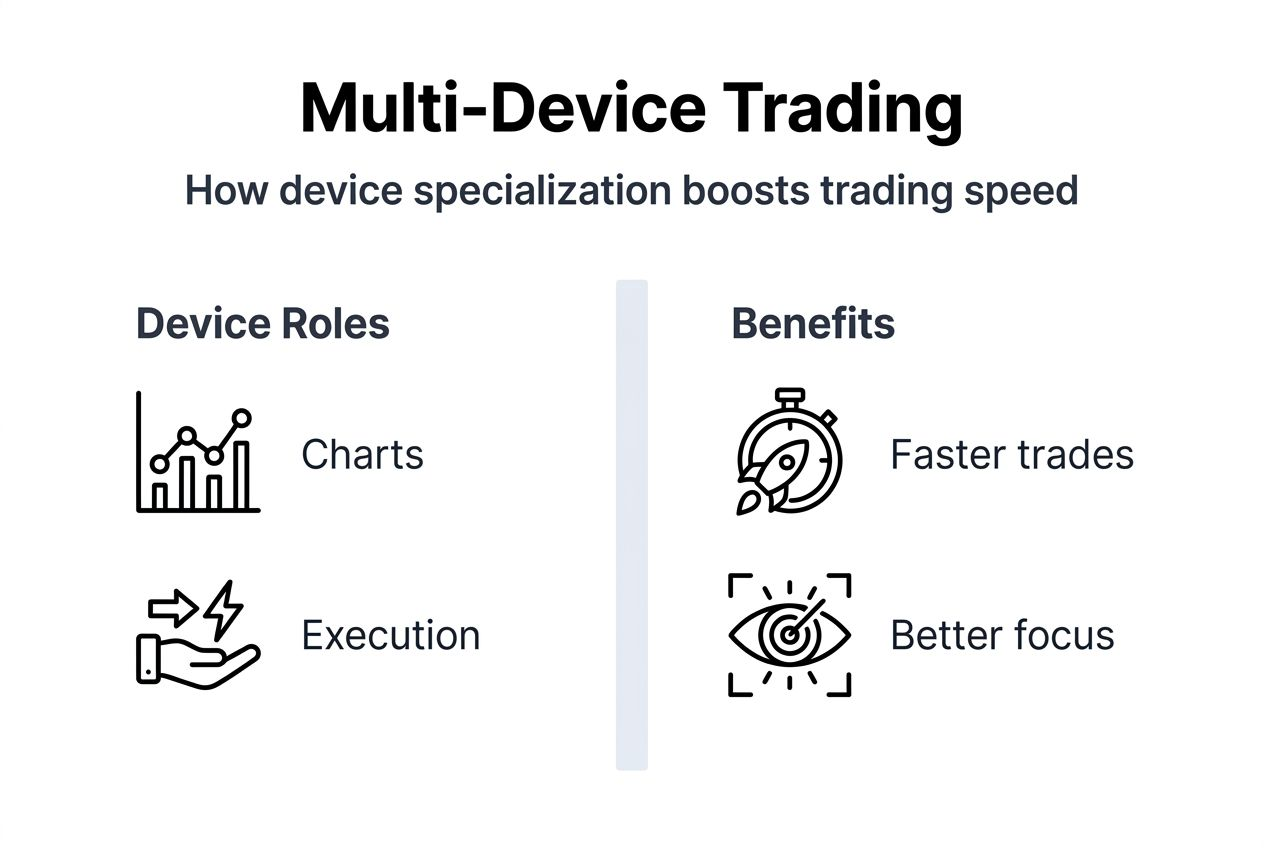
دستگاههای رایج شامل رایانههای رومیزی برای اجرای اولیه، لپتاپها برای دسترسی پشتیبان، تبلتها برای تحلیل نمودارها و تلفنهای هوشمند برای هشدارهای لحظهای هستند. هر دستگاه نقش تخصصی خود را ایفا میکند که قابلیت کلی معاملات را افزایش میدهد.
تفاوت اساسی با معاملات تک دستگاهی در انعطافپذیری عملیاتی و تعامل مداوم با بازار نهفته است. تنظیمات تک دستگاهی باعث آسیبپذیری در برابر خرابی سختافزار، اختلالات شبکه و فضای محدود صفحه نمایش میشود. پیکربندیهای چند دستگاهی با ارائه نقاط دسترسی اضافی و فضای کاری گستردهتر، این محدودیتها را از بین میبرند.
معاملهگرانی که از چندین دستگاه استفاده میکنند، سریعتر به رویدادهای بازار پاسخ میدهند و استراتژیهای پیچیدهتری را به طور مؤثر مدیریت میکنند. حجم کار توزیعشده، فشار شناختی را کاهش میدهد و در عین حال آگاهی موقعیتی را افزایش میدهد. مدرن ویژگیهای کلیدی پلتفرمهای معاملاتی از همگامسازی یکپارچه پشتیبانی میکند که تجارت چند دستگاهی را عملی و قابل اعتماد میکند.
تخصصیسازی دستگاهها، تمرکز و کارایی را بهبود میبخشد. اختصاص یک صفحه به نمودارهای قیمت، صفحه دیگر به اجرای سفارش و یک دستگاه تلفن همراه به هشدارها، جداسازی طبیعی گردش کار را ایجاد میکند. این ساختار از تعویض مداوم پنجرهها که تصمیمگیری را در دستگاههای واحد کند میکند، جلوگیری میکند.
چرا دسترسی مداوم به بازار 24 ساعته و 7 روز هفته اهمیت دارد؟
بازارهای مالی جهانی تقریباً به صورت شبانهروزی در مناطق زمانی و جلسات معاملاتی مختلف فعالیت میکنند. بازارهای فارکس در روزهای هفته 24 ساعته معامله میشوند، در حالی که بازارهای کریپتو هرگز تعطیل نمیشوند. حفظ نظارت مداوم برای بهرهبرداری از فرصتها و مدیریت ریسک ضروری است.
معاملات چند دستگاهی به طور چشمگیری خطر از دست دادن هشدارهای مهم بازار یا حرکات قیمت را کاهش میدهد. تنظیمات چند دستگاهی در مقایسه با وابستگی به تک دستگاه، زمان از کار افتادگی معاملات را بیش از 40% کاهش میدهد. این بهبود مستقیماً به نرخهای بهتر ثبت معاملات و کاهش هزینه فرصت منجر میشود.
خرابی دستگاه یا شبکه، تهدیدی جدی برای معاملهگران تک دستگاهی محسوب میشود. خرابی کامپیوتر، تمام شدن باتری یا قطع اتصال اینترنت میتواند در لحظات حساس، معاملهگران را از دسترس خارج کند. پیکربندیهای چند دستگاهی با امکان جابجایی یکپارچه بین نقاط دسترسی، قابلیت بازیابی فوری خرابی را فراهم میکنند.
“امکان جابجایی فوری از دسکتاپ به موبایل در حین مشکل اتصال، مرا از چندین خروج بد نجات داده است. دسترسی اضافی دیگر اختیاری نیست.” — معاملهگر حرفهای فارکس
دسترسی مداوم، معاملهگران را قادر میسازد تا فوراً به اخبار فوری، اطلاعیههای اقتصادی یا نوسانات ناگهانی واکنش نشان دهند. حتی از دست دادن پنج دقیقه در طول رویدادهای تأثیرگذار میتواند به معنای تفاوت بین سود و ضرر قابل توجه باشد. دستگاههای متعدد تضمین میکنند که حداقل یک پلتفرم همیشه فعال و متصل باقی بماند.
تعویض یکپارچه دستگاه، تداوم معاملات را بدون اجبار به تسویه موقعیت یا خروج اضطراری حفظ میکند. معاملهگران میتوانند با اطمینان موقعیتهای خود را حفظ کنند و بدانند که صرف نظر از وضعیت دستگاههای شخصی، کنترل را در دست دارند. این انعطافپذیری عملیاتی، اعتماد به نفس ایجاد میکند و از تصمیمگیری استراتژیک بهتر پشتیبانی میکند.
تأثیر بر سرعت اجرای معاملات و تصمیمگیری
سرعت اجرا، سودآوری را در بازارهای پرسرعت که قیمتها در میلیثانیه تغییر میکنند، تعیین میکند. معاملات چند دستگاهی با فعال کردن تخصص نقش در دستگاهها، اجرا را تسریع میکند. اجرای نرمافزار نمودارسازی روی یک دستگاه هنگام اجرای سفارشات روی دستگاه دیگر، رقابت در منابع را از بین میبرد و تأخیر را کاهش میدهد.
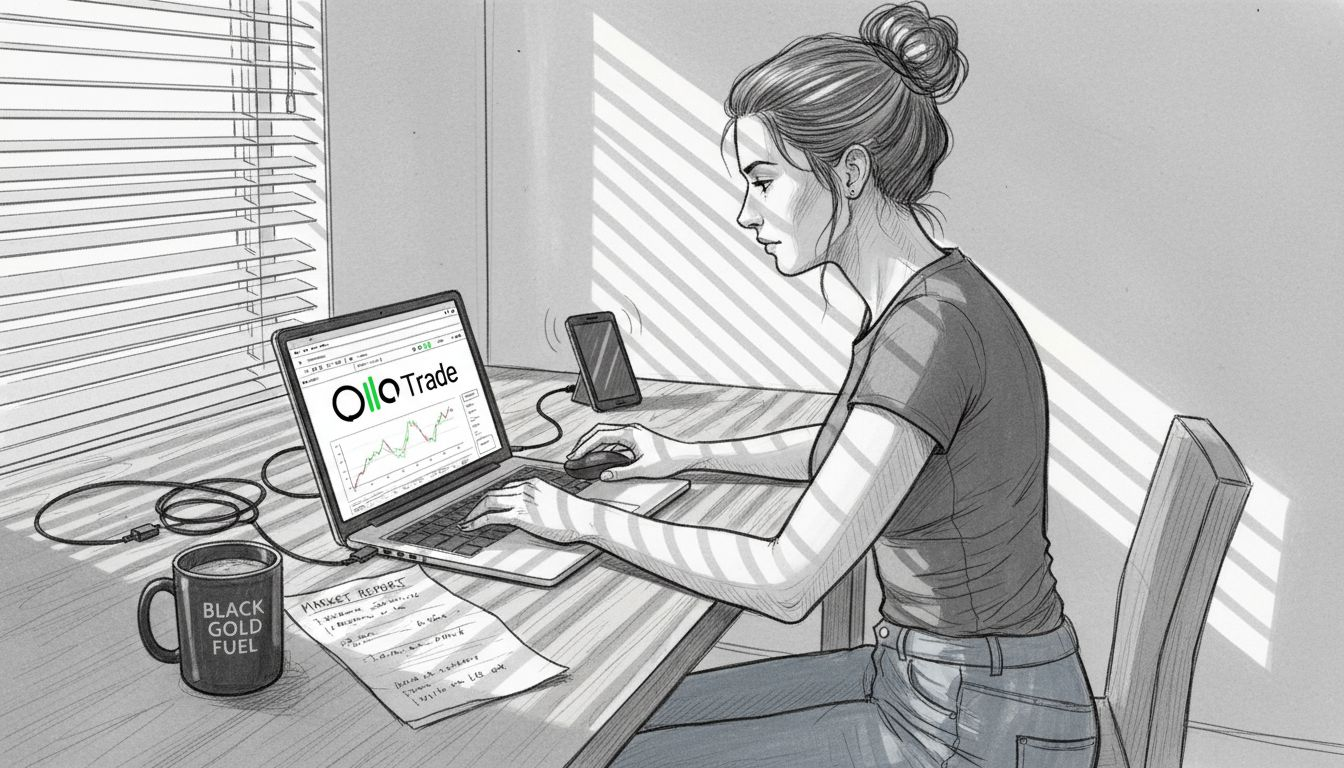
جریانهای همزمان دادهها در چندین صفحه نمایش، آگاهی موقعیتی را به طرز چشمگیری بهبود میبخشند. نظارت بر عملکرد قیمت در تبلتها، همزمان با پیگیری اخبار در تلفنهای هوشمند و اجرای معاملات در رایانههای رومیزی، چشمانداز جامعی از بازار را فراهم میکند. این پردازش موازی، دقت زمانبندی و اطمینان از تصمیمگیری را افزایش میدهد.
هشدارهای لحظهای که در بین دستگاهها هماهنگ شدهاند، تضمین میکنند که معاملهگران هرگز سیگنالهای حیاتی را از دست نمیدهند. اعلانهای موبایل، آگاهی فوری از پر شدن محدودهها، حد ضررها یا محرکهای شاخصهای فنی را فراهم میکنند. سپس پلتفرمهای دسکتاپ، تجزیه و تحلیل سریع و تنظیم موقعیت را بدون تأخیر ناشی از تعویض دستگاه امکانپذیر میکنند.
معاملات چند دستگاهی، تأخیر معاملات را کاهش داده و سرعت اجرا را در مقایسه با گردشهای کاری تک دستگاهی به طور قابل توجهی بهبود میبخشد. نقشهای تخصصی دستگاه با ایجاد فضاهای اختصاصی برای وظایف خاص، حواسپرتیها را به حداقل میرسانند. نمودارها در تبلتها قابل مشاهده هستند در حالی که ورود سفارش روی دسکتاپ انجام میشود و بار شناختی را در لحظات پرفشار کاهش میدهد.
تخصصیسازی دستگاهها از خستگی ذهنی ناشی از تغییر مداوم زمینه جلوگیری میکند. معاملهگران وقتی هر دستگاه هدف مشخصی را دنبال میکند، تمرکز واضحتری دارند. این تفکیک دغدغهها، تشخیص الگو را بهتر میکند و اشتباهات پرهزینه ناشی از اضافه بار اطلاعات را کاهش میدهد.
The ویژگیهای پلتفرم اولا ترید از دسترسی هماهنگ چند دستگاهی پشتیبانی میکند که دادههای ثابت را در تمام دستگاههای متصل حفظ میکند. سفارشات ثبت شده در برنامههای تلفن همراه فوراً در ترمینالهای دسکتاپ ظاهر میشوند و امکان اجرای انعطافپذیر را بدون اختلال در گردش کار فراهم میکنند.
نکته حرفهای: سریعترین دستگاه خود را که مطمئنترین اتصال را دارد، فقط به اجرای سفارش اختصاص دهید. از دستگاههای ثانویه برای تحلیل و نظارت استفاده کنید تا مطمئن شوید که ورود به معاملات شما در لحظات بحرانی هرگز با تأخیر مواجه نمیشود.
نقش معاملات چند دستگاهی در مدیریت ریسک
مدیریت ریسک به قابلیت واکنش سریع در هنگام حرکات غیرمنتظره بازار بستگی دارد. تنظیمات چند دستگاهی به معاملهگران این امکان را میدهد که صرف نظر از اینکه در حال حاضر به کدام دستگاه دسترسی دارند، فوراً واکنش نشان دهند. این انعطافپذیری، ضررهای احتمالی را در هنگام افزایش ناگهانی نوسانات کاهش میدهد.
نقاط دسترسی اضافی، از خرابیهای فنی که در غیر این صورت ممکن است از خروجهای حیاتی از معاملات جلوگیری کنند، محافظت میکنند. نقص سختافزاری، خرابی نرمافزار یا مشکلات اتصال در یک دستگاه، دیگر معاملهگران را در موقعیتهای معاملاتی گیر نمیاندازد. دستگاههای جایگزین، دسترسی پشتیبان فوری را برای کنترل خسارت فراهم میکنند.
معاملات چند دستگاهی از پاسخ سریعتر به تغییرات ناگهانی بازار پشتیبانی میکند و در مقایسه با محدودیتهای تک دستگاهی، افت سرمایه را کاهش میدهد. قابلیت نظارت و تنظیم موقعیتها از هر مکانی، تداوم عملیاتی را در طول سفر یا دور از ایستگاههای معاملاتی اصلی تقویت میکند.
“من در طول سقوط ناگهانی بازار در سال ۲۰۲۵ از یک ضرر بزرگ جلوگیری کردم، زیرا هشدارهای تلفن همراهم فوراً و در حالی که پشت میزم نبودم به من رسید. من قبل از اینکه ضررها تشدید شوند، موقعیتهای معاملاتی را از طریق تلفن همراه بستم. این تعدیل نیرو بارها و بارها جبران شد.” — گواهی معاملهگر خردهفروش
مدیریت بهبود یافته معاملات از طریق دسترسی به چند دستگاه، حداکثر درصد افت سرمایه را کاهش میدهد. معاملهگران با دسترسی مداوم به ابزارهای نظارتی، سریعتر از موقعیتهای ضررده خارج میشوند و حد ضرر را با کارایی بیشتری تنظیم میکنند. این مزیت عملیاتی به مرور زمان به بازده تعدیلشده با ریسک بهتر منجر میشود.
دسترسی به موبایل، امکان تنظیم سریع اندازه موقعیت را بر اساس شرایط در حال توسعه بازار فراهم میکند. معاملهگران میتوانند با استفاده از تلفنهای هوشمند، به تدریج به موقعیتهای جدید وارد یا از آنها خارج شوند و در عین حال، دید کامل نمودار را روی مانیتورهای دسکتاپ حفظ کنند. این کنترل جزئی، کیفیت ورود و خروج را به میزان قابل توجهی بهبود میبخشد.
تصورات غلط رایج در مورد معاملات چند دستگاهی
بسیاری از معاملهگران از راهاندازی چند دستگاهی اجتناب میکنند و معتقدند که این کار پیچیدگی بیش از حد ایجاد میکند و خطاهای عملیاتی را افزایش میدهد. این تصور غلط ناشی از تجربیات قدیمی با پلتفرمهای ضعیف هماهنگ است. نرمافزارهای معاملاتی مدرن این نگرانیها را از طریق هماهنگسازی مبتنی بر ابر و مدیریت یکپارچه حساب از بین میبرند.
یکی دیگر از باورهای غلط رایج این است که معامله چند دستگاهی نیاز به سرمایهگذاریهای سختافزاری گرانقیمتی دارد که فراتر از بودجه اکثر معاملهگران خرد است. واقعیت نشان میدهد که تلفنهای هوشمند، تبلتها و رایانههای موجود با پلتفرمهای فعلی کاملاً خوب کار میکنند. برای شروع مؤثر معامله چند دستگاهی، نیازی به خرید تجهیزات تخصصی نیست.
۷۰۱TP3T از معاملهگران گزارش میدهند که با گردشهای کاری منظم چند دستگاهی در مقایسه با معاملات تک دستگاهی، هیچ افزایشی در خطاهای عملیاتی مشاهده نشده است. نکته کلیدی در ایجاد نقشهای واضح برای دستگاهها و پروتکلهای مدیریت هشدار منسجم نهفته است.
برخی از معاملهگران نگرانند که استفاده همزمان از چندین دستگاه، آسیبپذیریهای امنیتی را افزایش دهد. پروتکلهای احراز هویت مناسب و مدیریت دستگاه، در واقع با فعال کردن قابلیت خروج سریع از راه دور در صورت به خطر افتادن یک دستگاه، امنیت را افزایش میدهند. پلتفرمهای چند دستگاهی از کنترلهای امنیتی متمرکز پشتیبانی میکنند که از همه نقاط دسترسی به طور یکسان محافظت میکنند.
این باور که معاملات چند دستگاهی فقط به نفع معاملهگران حرفهای یا نهادی است، نادیده میگیرد که چگونه پلتفرمهای خردهفروشی این فناوری را دموکراتیزه کردهاند. معاملهگران انفرادی اکنون به همان قابلیتهای همگامسازی که قبلاً برای میزهای معاملاتی در نظر گرفته شده بود، دسترسی دارند. موانع هزینه و پیچیدگی اساساً از بین رفتهاند.
گردشهای کاری منظم از انباشت اطلاعات که بسیاری از معاملهگران را در مورد استفاده از چند دستگاه نگران میکند، جلوگیری میکند. تنظیمات مناسب آستانه هشدار و تخصص نقش دستگاه، اعلانهای تکراری و سیگنالهای متناقض را از بین میبرد. این ساختار در واقع بار شناختی را در مقایسه با انباشتن همه عملکردها در یک صفحه کاهش میدهد.
نکته حرفهای: قبل از گسترش کار، فقط با دو دستگاه شروع کنید تا با آنها آشنا شوید. از رایانه اصلی خود برای اجرا و از تلفن هوشمند خود فقط برای هشدارها استفاده کنید. با تکامل نیازهای گردش کار، دستگاههای اضافی را به تدریج اضافه کنید.
درک مدیریت ایمن مبادلات رمزنگاری در چندین دستگاه نشان میدهد که پروتکلهای مناسب، تجارت چند دستگاهی را به جای ریسک بیشتر، ایمنتر میکنند.
مقایسه پلتفرمها و ابزارهای چند دستگاهی
انتخاب پلتفرم مناسب، موفقیت معاملات چند دستگاهی را تعیین میکند. راهکارهای مختلف، کیفیت همگامسازی، سازگاری دستگاهها و مجموعه ویژگیهای متفاوتی را ارائه میدهند که بر عملیات روزانه تأثیر میگذارند.
| پلتفرم | پشتیبانی از چند دستگاه | ویژگیهای کلیدی | ساختار هزینه | بهترین برای |
|---|---|---|---|---|
| متاتریدر ۴ | عالی در دسکتاپ، موبایل، وب | مشاوران متخصص، شاخصهای سفارشی، معاملات خودکار | پلتفرم رایگان، اسپرد کارگزاری | معاملهگران فنی با استفاده از الگوریتمها |
| اولا ترید | هماهنگسازی یکپارچه، سازگاری گسترده با دستگاهها | تحقیق در لحظه، اسپرد کم، اجرای سریع، کلاسهای دارایی متعدد | پلتفرم رایگان، اسپردهای رقابتی، بونوسهای خوشامدگویی | معاملهگران خردهفروش و حرفهای که به دنبال دسترسی جامع هستند |
| تریدینگ ویو | همگامسازی قوی موبایل و دسکتاپ | نمودار پیشرفته، ویژگیهای معاملات اجتماعی | سطوح اشتراک رایگان تا پریمیوم | تحلیلگران تکنیکال متمرکز بر نمودار |
| کارگزاران تعاملی | پشتیبانی خوب از چند دستگاه | ابزارهای حرفهای، دسترسی به بازار جهانی | حداقل حساب، کمیسیونهای پلکانی | معاملهگران فعال با حجم معاملات بالا |
متاتریدر ۴ عملکرد چند دستگاهی قوی با همگامسازی قوی در تمام پلتفرمها را ارائه میدهد. پشتیبانی از مشاور متخصص، استراتژیهای خودکار را قادر میسازد که صرف نظر از دستگاه، به طور مداوم اجرا شوند. دسترسی کمهزینه از طریق کارگزاران مختلف، آن را برای معاملهگران با بودجه محدود جذاب میکند.
پلتفرم Olla Trade از طریق همگامسازی مبتنی بر ابر که دادههای ثابتی را در رایانههای رومیزی، تبلتها و تلفنهای هوشمند حفظ میکند، در معاملات چند دستگاهی برتری دارد. رابط کاربری به طور هوشمندانه با اندازههای مختلف صفحه نمایش بدون از دست دادن عملکرد سازگار میشود. ابزارهای تحقیقاتی یکپارچه و اسپردهای دقیق، تجربه چند دستگاهی را بهبود میبخشند.
مقایسه ویژگیها، تفاوت قابل توجهی را در کیفیت همگامسازی بین پلتفرمها نشان میدهد. برخی از راهکارها، سازگاری دادههای بلادرنگ را حفظ میکنند در حالی که برخی دیگر در حین تعویض دستگاه، با تأخیرهای مختصری مواجه میشوند. آزمایش سرعت همگامسازی قبل از استفاده از یک پلتفرم، از تأخیرهای ناامیدکننده در لحظات حساس معاملاتی جلوگیری میکند.
سرعت اجرا بر اساس معماری پلتفرم و زیرساخت کارگزار متفاوت است. پلتفرمهای دسترسی مستقیم به بازار معمولاً سریعتر از مدلهای بازارساز، تکمیل سفارش انجام میدهند. درک ویژگیهای پلتفرم معاملاتی به شناسایی مشخصات فنی مهمتر برای استراتژی شما کمک میکند.
انتخاب یک پلتفرم به شدت به تمرکز بر روی کلاس دارایی و سبک معاملاتی آن بستگی دارد. متخصصان فارکس ویژگیهای متفاوتی را نسبت به معاملهگران روزانه سهام یا معاملهگران نوسان ارزهای دیجیتال در اولویت قرار میدهند. در دسترس بودن منابع دستگاه نیز بر انتخاب تأثیر میگذارد، زیرا برخی از پلتفرمها به قدرت پردازش یا پهنای باند بیشتری نسبت به سایرین نیاز دارند.
چارچوبهای عملی برای معاملات کارآمد چند دستگاهی
تجارت موفق با چند دستگاه نیازمند گردشهای کاری ساختاریافته است که از هرج و مرج و اضافه بار اطلاعات جلوگیری کند. پیروی از چارچوبهای اثباتشده تضمین میکند که بدون ایجاد مشکلات جدید، به مزایایی دست یابید.
- بر اساس اندازه صفحه نمایش و قابلیت حمل، نقشهای تخصصی را به هر دستگاه اختصاص دهید. از رایانههای رومیزی برای تجزیه و تحلیل نمودارهای اولیه و اجرای سفارش استفاده کنید، در حالی که نمایشگرهای بزرگ حداکثر دید را فراهم میکنند. تبلتها را برای نظارت ثانویه بر نمودارها یا تجزیه و تحلیل عمق بازار رزرو کنید. تلفنهای هوشمند را منحصراً به هشدارها و نظارت بر موقعیت در حین حرکت اختصاص دهید.
- ویژگیهای همگامسازی را در همه دستگاهها فعال کنید تا دادههای معاملاتی یکپارچه و ارسال هشدارهای مداوم حفظ شود. پلتفرمها را طوری پیکربندی کنید که موقعیتها، سفارشات و موجودی حسابها را در هر دستگاه متصل به صورت آنی بهروزرسانی کنند. قبل از تکیه بر همگامسازی در طول معاملات زنده، آن را به طور کامل آزمایش کنید.
- آستانههای هشدار منظمی را تعیین کنید تا از خستگی ناشی از اعلانها و اضافه بار شناختی جلوگیری شود. اولویتهای هشدار مختلفی را برای دستگاههای مختلف پیکربندی کنید تا سیگنالهای حیاتی در تمام پلتفرمها به شما برسند، در حالی که بهروزرسانیهای کماهمیتتر فقط در دستگاههای نظارتی ظاهر میشوند. تنظیمات هشدار را بر اساس الگوهای معاملاتی واقعی، هفتگی بررسی و تنظیم کنید.
- پروتکلهای امنیتی قوی از جمله احراز هویت بیومتریک در صورت وجود، زمانبندی خودکار و رمزهای عبور مخصوص دستگاه را پیادهسازی کنید. احراز هویت دو مرحلهای را در تمام حسابهای معاملاتی فعال کنید و فهرست دستگاههای متصل را مرتباً بررسی کنید. مجوز هر دستگاه گم شده یا از رده خارج شده را فوراً لغو کنید.
- از اشتباهات رایج مانند اتصال دستگاههای زیاد یا ایجاد تنظیمات هشدار ناهماهنگ خودداری کنید. اکثر معاملهگران به جای پنج یا شش دستگاه، با دو یا سه دستگاه به طور بهینه کار میکنند. دستگاههای بیشتر، پیچیدگی را بدون مزایای متناسب برای عملیات معاملاتی خردهفروشی معمول، افزایش میدهند.
نکته حرفهای: یک چک لیست راهاندازی دستگاه ایجاد کنید که تضمین کند همه پلتفرمها قبل از هر جلسه معاملاتی به درستی متصل و همگامسازی میشوند. این روال دو دقیقهای از غافلگیریهای پرهزینه در دورههای پرنوسان جلوگیری میکند.
تخصصیسازی نقشهای دستگاه، وسوسه تکرار عملکردها در تمام پلتفرمها را از بین میبرد. جداسازی واضح وظایف اجرا، نظارت و تحلیل، مرزهای طبیعی گردش کار را ایجاد میکند. این ساختار، اشتباهات ناشی از انجام عمل اشتباه روی دستگاه اشتباه را کاهش میدهد.
بررسیهای منظم گردش کار، ناکارآمدیها و فرصتهای بهینهسازی را شناسایی میکند. دستگاههایی را که واقعاً برای وظایف مختلف در مقایسه با نقشهای مورد نظر خود استفاده میکنید، پیگیری کنید. پیکربندیها را بر اساس الگوهای استفاده واقعی به جای ایدهآلهای نظری تنظیم کنید.
نتیجهگیری و مراحل بعدی برای معاملهگران
معاملات چند دستگاهی مزایای قابل توجهی در دسترسی به بازار، سرعت اجرا و مدیریت ریسک ارائه میدهند که تنظیمات تک دستگاهی نمیتوانند با آنها برابری کنند. این فناوری به نقطهای رسیده است که پیچیدگی و هزینه راهاندازی دیگر مانعی برای پذیرش آن نیست. پلتفرمهای مدرن همگامسازی یکپارچهای را ارائه میدهند که معاملات چند دستگاهی را برای معاملهگران خرد عملی میکند.
با انتخاب پلتفرمهایی که از ادغام قوی چند دستگاهی با قابلیت اطمینان همگامسازی اثباتشده پشتیبانی میکنند، شروع کنید. ابتدا بر تخصص نقش دستگاه تمرکز کنید، نه اتصال هر دستگاهی که دارید. از روز اول، گردشهای کاری منظمی را در مورد مدیریت هشدار و پروتکلهای امنیتی ایجاد کنید.
با یک پیکربندی ساده دو دستگاهی شروع کنید که کامپیوتر اصلی شما را با گوشی هوشمندتان جفت میکند. قبل از اضافه کردن تبلت یا لپتاپ پشتیبان، این تنظیمات را به خوبی یاد بگیرید. گسترش تدریجی بر اساس نیازهای واقعی گردش کار، از پیچیدگیهایی که معاملهگرانی را که خیلی سریع دستگاههای زیادی اضافه میکنند، کلافه میکند، جلوگیری میکند.
از پلتفرمهایی مانند زیر استفاده کنید پلتفرم معاملاتی اولا ترید که عملکرد چند دستگاهی را با دسترسی جامع به داراییها و ابزارهای تحقیقاتی یکپارچه در اولویت قرار میدهند. ترکیب فناوری و پوشش بازار، معاملهگران را در موقعیت موفقیت در محیط رقابتی معاملاتی سال 2026 قرار میدهد.
با راهکارهای چند دستگاهی Olla Trade هوشمندانهتر تجارت کنید
عملکرد معاملاتی شما به فناوری قابل اعتمادی بستگی دارد که به طور یکپارچه در تمام دستگاههای شما کار میکند. اولا ترید دقیقاً همین را از طریق پلتفرمهای ابری هماهنگشده که برای دسکتاپ، تبلت و تلفنهای هوشمند بهینه شدهاند، ارائه میدهد. صرف نظر از دستگاهی که استفاده میکنید، به فارکس، شاخصها، فلزات، انرژیها و ارزهای دیجیتال با کیفیت اجرایی ثابت دسترسی داشته باشید.
اسپردهای پایین و سرعت بالای اجرای ما تضمین میکند که راهاندازی چند دستگاهی شما، مزایای رقابتی واقعی را به جای صرفاً راحتی ارائه میدهد. ابزارهای تحقیقاتی یکپارچه و دادههای بازار در لحظه، در تمام پلتفرمها همگامسازی میشوند تا شما آگاهی کامل از موقعیت خود را حفظ کنید. کشف کنید که چگونه پلتفرم Olla Trade ویژگیهای کلیدی قدرتمند پلتفرمهای معاملاتی را با عملکرد چند دستگاهی بصری ترکیب میکند که به جای پیچیده کردن، معاملات شما را بهبود میبخشد. معاملهگران جدید دریافت میکنند بونوس خوشامدگویی مشوقهایی که شروع کار را آسانتر و سودآورتر میکنند. به هزاران معاملهگری بپیوندید که در سال ۲۰۲۶ برای معاملات چند دستگاهی قابل اعتماد به اولا ترید اعتماد دارند.
سوالات متداول
چه دستگاههایی برای معاملات چند دستگاهی بهترین هستند؟
برای اجرای اولیه که اندازه صفحه نمایش و قدرت پردازش بیشترین اهمیت را دارند، از رایانه رومیزی یا لپتاپ استفاده کنید. تبلتها برای نظارت بر نمودارها و تحلیل فنی به خوبی کار میکنند، در حالی که تلفنهای هوشمند در ارائه هشدارها و امکان بررسی سریع موقعیتها عالی هستند. اطمینان حاصل کنید که همه دستگاهها از فیدهای داده در زمان واقعی پشتیبانی میکنند و اتصال اینترنت پایدار را حفظ میکنند.
چگونه از اضافه بار اطلاعات هنگام استفاده از چندین دستگاه جلوگیری کنم؟
اولویتبندی هشدارها را به گونهای پیادهسازی کنید که فقط اعلانهای حیاتی را به همه دستگاهها ارسال کند و بهروزرسانیهای روتین را به صفحات نظارتی خاص هدایت کند. از ویژگیهای همگامسازی پلتفرم برای حذف هشدارهای تکراری در بین دستگاهها استفاده کنید. نقشهای نظارتی متمایزی را به هر دستگاه اختصاص دهید تا بتوانید اطلاعات خاص را در صفحات مشخصشده بررسی کنید، نه اینکه همه چیز را در همه جا اسکن کنید.
آیا راهاندازی معاملات چند دستگاهی گران است؟
اکثر معاملهگران از قبل دستگاههای کافی دارند، زیرا تلفنهای هوشمند، تبلتها و رایانههایی که در حال حاضر از آنها استفاده میکنید، کاملاً خوب کار میکنند. پلتفرمهای معاملاتی مانند Olla Trade رایگان و بدون نیاز به سختافزار خاص قابل دانلود هستند. بودجه خود را به جای تجهیزات گرانقیمت، روی اتصال به اینترنت قابل اعتماد متمرکز کنید، زیرا کیفیت همگامسازی بیشتر از مشخصات دستگاه اهمیت دارد.
آیا معاملات چند دستگاهی میتواند خطاهای معاملاتی را کاهش دهد؟
گردشهای کاری منظم با تخصص واضح دستگاهها، با کاهش سردرگمی در مورد محل اجرای وظایف مختلف، میزان خطا را به میزان قابل توجهی کاهش میدهد. هشدارهای هماهنگ تضمین میکنند که شما از تمام تغییرات موقعیت و رویدادهای بازار بدون از دست دادن اطلاعات حیاتی آگاه باشید. افزونگی در واقع شبکههای ایمنی ایجاد میکند که اشتباهات را قبل از اینکه پرهزینه شوند، شناسایی میکنند.