












Many traders assume MetaTrader is just a basic charting tool, but this platform powers sophisticated multi-asset trading for millions worldwide. MetaTrader supports algorithmic trading with MQL4 and MQL5, enabling automated strategies across Forex, stocks, and futures. Whether you’re testing complex algorithms or executing manual trades, understanding MetaTrader’s architecture unlocks powerful capabilities. This guide explores the differences between MetaTrader 4 and 5, advanced tools like the Strategy Tester, and practical best practices for Expert Advisor development to elevate your trading performance in 2026.
সুচিপত্র
- What Is MetaTrader? An Overview For Traders
- Differences Between MetaTrader 4 And MetaTrader 5
- Advanced Trading Tools And Strategy Testing In MetaTrader 5
- Common Pitfalls And Best Practices In MetaTrader Expert Advisor Development
- ওল্লা ট্রেডের মাধ্যমে ট্রেডিং অন্বেষণ করুন
কী গ্রহণযোগ্যতা
| বিন্দু | বিস্তারিত |
|---|---|
| Multi-asset platform | MetaTrader 5 enables trading across Forex, CFDs, stocks, and futures within a single integrated terminal. |
| Advanced programming | MQL5 offers object-oriented coding with multi-threaded backtesting, surpassing MQL4’s procedural approach. |
| Strategy validation | The MT5 Strategy Tester simulates historical trades with detailed performance analytics to refine trading strategies. |
| Order system differences | MT4 uses order-based execution while MT5 employs a position-based system for better multi-asset management. |
| Error handling matters | Proper trade execution error handling prevents common Expert Advisor failures and improves automation reliability. |
What is MetaTrader? An overview for traders
MetaTrader 5 is a multi-asset platform designed for retail and professional traders to access global markets through a unified interface. The platform operates on a client-server architecture where your terminal communicates directly with your broker’s servers to execute orders in real time. This structure ensures fast execution speeds and reliable data feeds across multiple asset classes.
The platform’s core strength lies in its flexibility. You can trade Forex pairs, CFDs on indices, individual stocks, commodities, and even cryptocurrencies depending on your broker’s offerings. MetaTrader provides advanced charting with over 80 technical indicators, customizable timeframes, and the ability to create your own indicators using built-in programming languages.
Key capabilities that set MetaTrader apart include:
- Custom technical indicators tailored to your specific analysis needs
- Expert Advisors that automate trading strategies without manual intervention
- Integrated economic calendar tracking market-moving events
- Multiple order types including pending orders and stop-loss automation
- Mobile compatibility for trading across devices
The platform supports both manual discretionary trading and fully automated algorithmic strategies. You can backtest Expert Advisors on years of historical data before risking real capital. This testing environment helps identify strategy weaknesses and optimize parameters for better performance. Understanding these ট্রেডিং প্ল্যাটফর্মের মূল বৈশিষ্ট্য helps you leverage MetaTrader’s full potential rather than treating it as just another charting tool.
Differences between MetaTrader 4 and MetaTrader 5
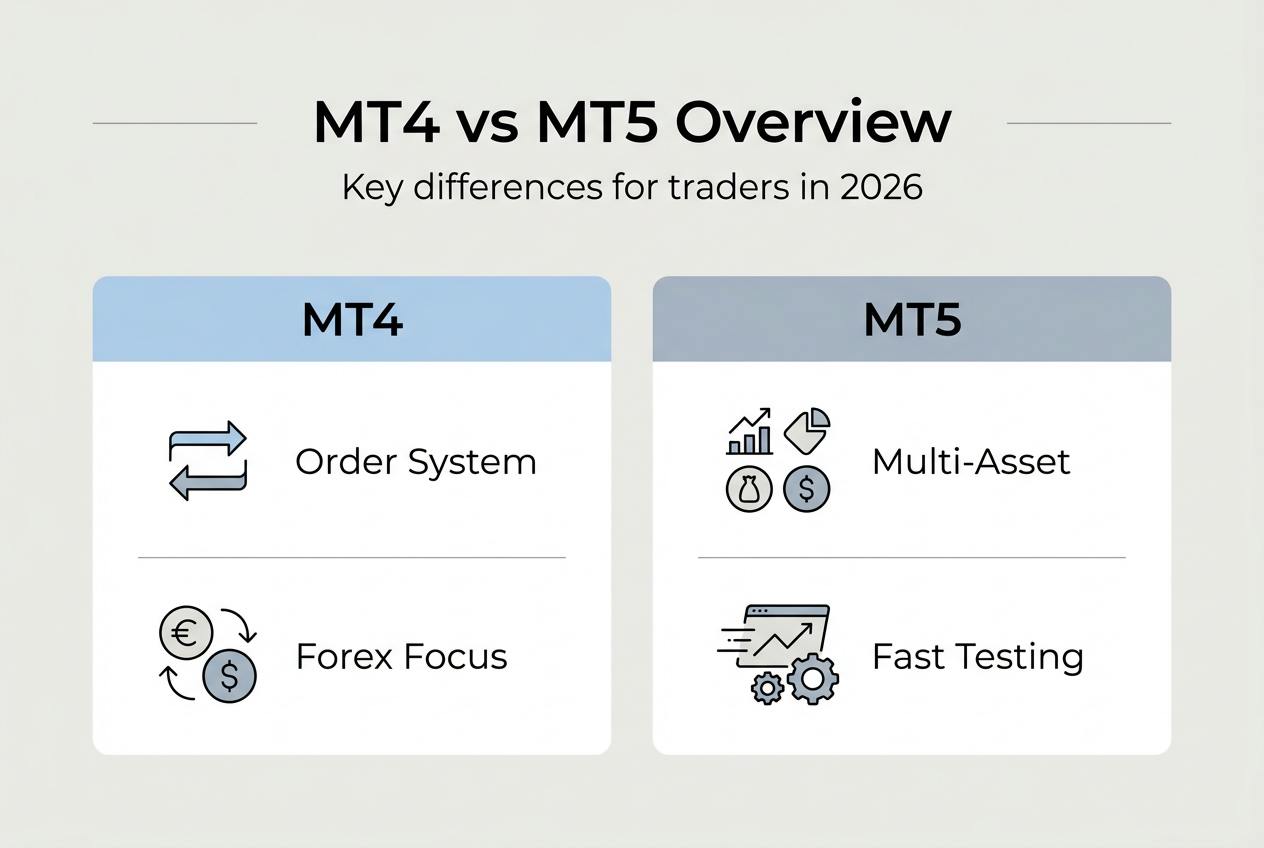
Choosing between MT4 and MT5 often confuses traders because both platforms share similar interfaces but differ fundamentally in capabilities. The most significant distinction lies in their programming languages. MT4 uses MQL4, a procedural language suitable for straightforward scripts and indicators. MQL5 is object-oriented, enabling more complex program structures with better code organization and reusability.
The order execution systems work differently between platforms. MT4 employs an order-based system where each trade creates a separate ticket. MT5 uses a position-based system that nets multiple trades in the same instrument into a single position. This difference matters significantly for hedging strategies and trade management. If you need to hold simultaneous long and short positions in the same pair, MT4’s order system provides more flexibility.

Asset coverage represents another crucial difference. MT4 focuses primarily on Forex and CFDs, while MT5 supports multi-asset trading including stocks and futures with access to Depth of Market data. This expanded coverage makes MT5 more suitable if you trade across multiple asset classes or need direct market access features.
| বৈশিষ্ট্য | মেটাট্রেডার ৪ | মেটাট্রেডার ৫ |
|---|---|---|
| Programming Language | MQL4 (procedural) | MQL5 (object-oriented) |
| Order System | Order-based | Position-based |
| Asset Classes | ফরেক্স, সিএফডি | Forex, CFDs, stocks, futures |
| ব্যাকটেস্টিং | Single-threaded | Multi-threaded |
| Market Depth | Not available | Full Depth of Market |
Testing capabilities differ substantially. MQL5 offers multi-threaded backtesting, allowing you to test strategies across multiple currency pairs simultaneously and optimize parameters much faster than MT4’s single-threaded approach. This speed advantage becomes critical when testing complex strategies with numerous variables.
The event model in MQL5 is significantly richer, supporting more sophisticated program logic. You can respond to a wider range of market events and create more responsive automated strategies. MQL5 also provides more advanced access to historical data, including tick-by-tick information that enables precise strategy testing.
Pro Tip: If you’re starting fresh with algorithmic trading, choose MT5 for its superior testing speed and modern programming features. However, if you rely on specific MT4 indicators or Expert Advisors without MT5 equivalents, MT4 remains viable for Forex-focused trading. Review your broker’s trading platform features to ensure compatibility with your chosen version.
Advanced trading tools and strategy testing in MetaTrader 5
The Strategy Tester transforms how you validate trading ideas before risking real capital. This tool simulates trades against historical data, showing exactly how your strategy would have performed across different market conditions. You can test Expert Advisors, custom indicators, and even manual trading scripts to identify strengths and weaknesses.
MT5’s backtesting engine delivers comprehensive performance analytics that go far beyond simple profit and loss. Detailed reports include drawdown analysis, win rate statistics, profit factor calculations, and risk-adjusted returns. These metrics help you understand whether a strategy’s profits come from consistent edge or lucky streaks. A strategy showing 80% win rate but massive drawdowns during losing periods needs refinement before live deployment.
The multi-threaded architecture accelerates optimization dramatically. You can test hundreds of parameter combinations across multiple timeframes simultaneously, identifying optimal settings in hours rather than days. This speed matters when you need to adapt strategies to changing market conditions or validate ideas quickly.
Key Strategy Tester capabilities include:
- Visual mode showing tick-by-tick trade execution on charts for detailed analysis
- Forward testing that validates strategies on out-of-sample data to prevent overfitting
- Genetic algorithm optimization finding best parameter combinations efficiently
- Custom optimization criteria beyond just profit maximization
- Cloud network testing distributing calculations across multiple computers for even faster results
The testing process should follow a structured approach. Start with a broad parameter range to identify promising areas, then narrow your focus with more granular testing. Always reserve a portion of historical data for forward testing. A strategy that performs well in-sample but fails forward testing likely suffers from overfitting to past data.
“Backtesting reveals what might work, but forward testing on unseen data proves whether it actually will. Never skip the forward test.”
Pro Tip: Run your backtests across at least five years of data covering different market regimes including trends, ranges, and high volatility periods. A robust strategy performs acceptably across all conditions rather than excelling in just one environment. Combine your testing knowledge with proven strategy testing techniques to build more reliable automated systems. Understanding these trading platform key features ensures you extract maximum value from the testing environment.
Common pitfalls and best practices in MetaTrader Expert Advisor development
Building reliable Expert Advisors requires more than coding trading logic. The most common structural failure involves absent error handling on trade execution calls. Your EA might generate perfect signals, but without proper error management, broker rejections or connectivity issues cause trades to fail silently.
Trade execution faces numerous potential failures. Broker-side rejections occur when your order doesn’t meet minimum lot sizes or margin requirements. The trade context might be busy if another operation is processing. Requotes happen during fast markets when prices move before your order reaches the server. Insufficient margin stops trades even when signals are valid. Each scenario needs specific handling logic.
Many developers store critical state information only in runtime variables. This creates “amnesia” when you restart the terminal. Your EA forgets open positions, pending orders, or strategy state. Persistent storage using global variables or files ensures your EA remembers its context across restarts.
Implement these error handling practices:
- Check every OrderSend return value and log failures with error codes
- Implement retry logic with exponential backoff for temporary failures
- Verify trade execution by checking OrderSelect after sending orders
- Store position state persistently to survive terminal restarts
- Add maximum retry limits to prevent infinite loops during outages
High-risk strategies like Martingale or grid systems amplify these challenges. Doubling position sizes after losses quickly exhausts margin during drawdowns. Grid systems opening multiple positions at fixed intervals can accumulate massive exposure during strong trends. These approaches might show impressive backtests but often fail catastrophically in live trading when market conditions deviate from historical patterns.
Validate your EA’s behavior under adverse conditions. Test with simulated broker rejections, network delays, and insufficient margin scenarios. Your EA should handle these gracefully rather than freezing or executing unintended trades. Robust error handling separates professional-grade automation from fragile scripts that work only under perfect conditions.
Pro Tip: Log every trade attempt with timestamps, error codes, and market conditions. When your EA behaves unexpectedly, these logs provide the forensic data needed to diagnose issues. Review your automated trading software setup and ensure proper error handling before live deployment. Combine solid coding practices with understanding of trading platform features to build EAs that perform reliably across all market conditions.
ওল্লা ট্রেডের সাথে ট্রেডিং অন্বেষণ করুন
Applying MetaTrader knowledge becomes more effective when you have the right broker infrastructure supporting your strategies. Olla Trade provides comprehensive Forex trading access with MetaTrader compatibility, enabling you to implement the advanced techniques covered in this guide. The platform supports both MT4 and MT5, giving you flexibility to choose based on your specific trading needs.
Beyond platform access, understanding CFD trading mechanics helps you leverage MetaTrader’s multi-asset capabilities effectively. Olla Trade offers educational resources and market analysis tools that complement your technical platform knowledge. Whether you’re developing Expert Advisors or refining manual strategies, combining solid broker infrastructure with MetaTrader expertise positions you for better trading outcomes. Explore পেশাদার ট্রেডিং শিক্ষা resources to continue developing your skills beyond platform mechanics.
What is MetaTrader? Frequently asked questions
What exactly is MetaTrader and what can I trade on it?
MetaTrader refers to both MT4 and MT5 platforms enabling trading across multiple asset classes. You can trade Forex pairs, CFDs on indices, stocks, commodities, energies, and cryptocurrencies depending on your broker’s offerings. The platform provides charting, technical analysis, and automated trading capabilities in one integrated terminal.
What are MQL4 and MQL5 programming languages used for?
MQL4 and MQL5 are specialized programming languages for creating custom indicators and automated trading strategies called Expert Advisors. MQL4 uses procedural programming suitable for simpler scripts, while MQL5 offers object-oriented programming enabling more sophisticated strategy development. Both languages provide direct access to market data, trade execution functions, and technical analysis tools.
Why is backtesting important and how does the Strategy Tester work?
Backtesting validates whether your trading strategy would have been profitable using historical data before risking real capital. The MT5 Strategy Tester simulates trades across years of price history, providing detailed performance metrics including profit/loss, drawdown, win rate, and risk-adjusted returns. This testing reveals strategy weaknesses and helps optimize parameters for better live performance. Learn more about effective strategy testing techniques to improve your validation process.
Should I use MetaTrader 4 or MetaTrader 5 for my trading?
Choose MT5 if you trade multiple asset classes, need advanced backtesting speed, or want modern programming features with object-oriented code. Select MT4 if you primarily trade Forex, rely on specific MT4-only indicators, or need the order-based system for hedging strategies. MT5 offers superior testing capabilities and future-proof features, while MT4 remains viable for Forex-focused trading. Review this MetaTrader 4 guide for detailed MT4 information.
Can I run Expert Advisors on both MT4 and MT5?
Expert Advisors written in MQL4 run only on MT4, while MQL5 EAs run exclusively on MT5. The languages are not directly compatible due to fundamental differences in syntax and architecture. You must rewrite or convert EAs when switching platforms. Some developers offer both MT4 and MT5 versions of popular EAs, but automatic conversion rarely works without manual code adjustments.
How do I know if my Expert Advisor is reliable before live trading?
Test your EA extensively using the Strategy Tester across at least five years of historical data covering different market conditions. Run forward tests on out-of-sample data to verify the strategy wasn’t overfitted to past prices. Check error handling by simulating broker rejections and network issues. Start with a demo account for several weeks before deploying real capital, monitoring for unexpected behavior or execution failures.