











What is MetaTrader 4? A 2026 guide for Forex & crypto

Trader at dual monitors using MetaTrader 4

Many assume MetaTrader 4 is a relic from the past, replaced by newer platforms. Yet, MT4 holds over 70% market share among MetaQuotes platforms as of 2025, making it a backbone for Forex and crypto trading worldwide. This guide unpacks MT4’s enduring relevance, features, and practical applications for both retail and professional traders seeking efficient tools to navigate modern markets.

Table of Contents

Key takeaways

PointDetails
Platform dominanceMetaTrader 4 launched in 2005 and supports Forex, CFDs, metals, and cryptocurrencies globally.
Advanced toolsFeatures over 30 technical indicators, automated Expert Advisors, and 128-bit encryption security.
Continuous evolutionMT4 receives regular updates and maintains a simpler interface preferred by retail traders.
Multi-asset accessSupports cryptocurrencies through CFDs and various asset classes depending on broker offerings.
Olla Trade integrationProvides seamless MT4 setup with advanced charting, tight spreads, and comprehensive educational resources.

Introduction to MetaTrader 4

MetaTrader 4 launched in 2005 by MetaQuotes Software and has grown to serve over 10 million active users worldwide as of 2025. This client-server architecture platform delivers real-time market data and order execution, creating a reliable trading environment for analyzing price movements and managing positions.

The platform’s structure separates the client terminal from the trading server. Traders interact with the client interface while the server processes orders and maintains market data connections. This separation ensures stability even during high-volume trading periods.

MT4’s scalability accommodates both retail traders with single accounts and professional traders managing multiple portfolios. The platform handles thousands of simultaneous users without performance degradation. Brokers worldwide have adopted MT4 because it reduces technical barriers while delivering institutional-grade execution speeds.

Global accessibility stands as one of MT4’s strongest attributes. The platform supports over 30 languages and operates across Windows, macOS, iOS, and Android devices. You can monitor positions on your phone, execute trades on your desktop, and analyze charts on your tablet with seamless account synchronization.

MT4 for iOS application brings full trading functionality to mobile devices. Touch-optimized charts, one-tap order placement, and push notifications keep you connected to markets wherever you go. This cross-device compatibility mirrors the modern trader’s need for flexibility and constant market access.

MT4’s enduring popularity stems from its balance between power and simplicity. The MetaTrader 4 overview page shows continuous development despite the platform’s 21-year history. Regular security patches, performance enhancements, and broker integrations demonstrate MetaQuotes’ commitment to maintaining MT4 as a premier trading solution.

Core features of MetaTrader 4

Technical analysis forms the foundation of successful trading strategies. MT4 includes over 30 built-in indicators covering trend, momentum, volume, and volatility measurements. Moving averages, RSI, MACD, Bollinger Bands, and Fibonacci tools come pre-installed and ready to apply to any chart.

Custom indicators expand analytical possibilities beyond default options. Thousands of community-developed indicators exist in online marketplaces, addressing specialized trading strategies and niche market conditions. You can import these indicators with simple file placement, extending MT4’s capabilities to match your exact analytical needs.

  • Multi-timeframe analysis: View charts from one minute to one month intervals, enabling both scalping and position trading approaches.
  • Charting types: Switch between line, bar, and candlestick charts to visualize price action in your preferred format.
  • Drawing tools: Apply trendlines, channels, rectangles, and custom shapes to mark support, resistance, and pattern formations.
  • Template system: Save chart configurations including indicators, colors, and timeframes for instant replication across multiple instruments.

Security infrastructure protects your trading data and account information. MT4 uses 128-bit encryption for all communication between your device and the trading server. This encryption standard prevents unauthorized access to your credentials, positions, and trading history.

The platform’s multi-language interface removes communication barriers. Traders in Europe, Asia, Africa, and the Americas access identical functionality in their native languages. This localization extends to date formats, number separators, and regional conventions.

User interface design prioritizes both power and accessibility. The main window splits into market watch, charts, terminal, and navigator panels. You can resize, dock, or undock these panels to create personalized workspace layouts. This flexibility accommodates single-monitor setups and multi-screen trading stations equally well.

Woman adjusting MetaTrader 4 interface at home

key features of trading platforms article explores how MT4’s design philosophy influenced modern trading software. Many competing platforms adopted MT4’s panel-based interface as an industry standard. The Olla Trade platform builds on these foundations while adding proprietary enhancements for faster execution and tighter spreads.

Automated trading with expert advisors

Expert Advisors transform MT4 from a manual trading platform into an automated trading system. These algorithmic programs execute trades based on predefined rules without requiring constant human supervision. EAs monitor markets 24/7, identifying opportunities and managing positions according to your strategy parameters.

The MQL4 programming language powers Expert Advisor development. This C-based language provides full access to price data, technical indicators, and order management functions. Traders with programming experience can build custom EAs tailored to specific market conditions and risk tolerances.

Marketplace availability makes automation accessible to non-programmers. Over 1,000 ready-to-use EAs exist in official and third-party marketplaces. These range from simple moving average crossover systems to complex machine learning algorithms. You can purchase, download, and activate these EAs within minutes.

  • Trend following: EAs that identify and trade sustained directional movements in price
  • Mean reversion: Systems that profit from price returning to average levels after extremes
  • Grid trading: Algorithms placing multiple orders at regular intervals to capture range-bound movements
  • News trading: EAs designed to exploit volatility spikes following economic announcements

Backtesting validates strategy performance before risking real capital. MT4’s built-in strategy tester simulates trades using historical price data spanning years. You can optimize EA parameters by testing thousands of combinations to find the most profitable settings for specific instruments and timeframes.

The backtesting environment replicates real market conditions including spreads, slippage, and commission costs. Results show profit factor, drawdown, win rate, and dozens of other performance metrics. This data-driven approach removes emotional bias from strategy evaluation.

Pro Tip: Start with demo accounts when testing new Expert Advisors. Run your EA for at least 30 days on simulated funds before deploying live capital. This practice reveals unexpected behaviors and allows parameter adjustments without financial risk.

MT4 for Windows setup process includes automatic EA installation directories. The platform creates specific folders where you place EA files for immediate recognition. The MT4 for Android setup enables EA monitoring on mobile devices, though EA execution requires a desktop or VPS connection.

Applications of MetaTrader 4 in Forex and cryptocurrency markets

Asset class versatility extends MT4’s utility across multiple financial markets. The platform handles Forex currency pairs, CFDs on stocks, indices, commodities, and precious metals. Energy products like crude oil and natural gas trade alongside agricultural commodities. This breadth lets you diversify portfolios without switching platforms.

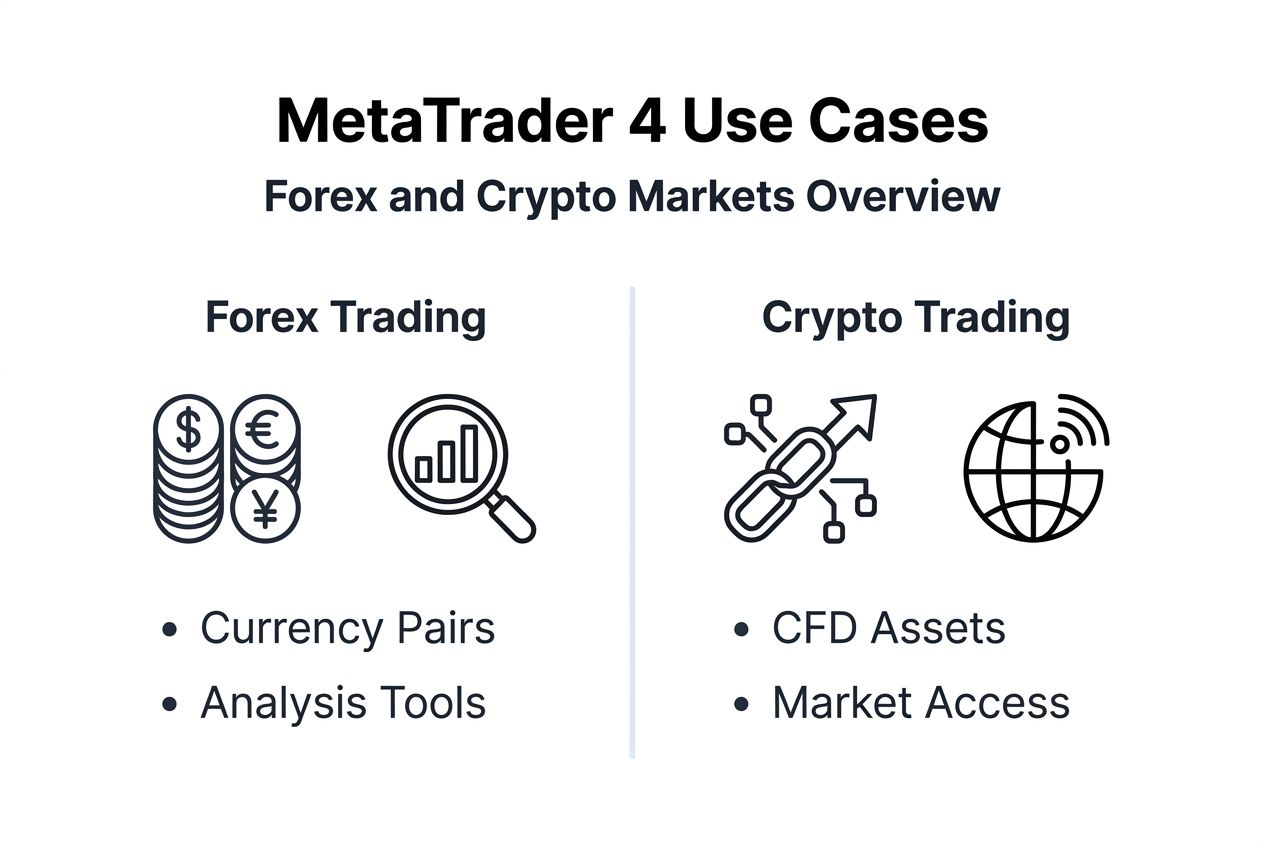
Infographic comparing MetaTrader 4 use cases

Forex trading represents MT4’s primary use case. Major, minor, and exotic currency pairs trade with spreads as low as 0.1 pips on premium accounts. The platform’s order execution speed proves critical in fast-moving Forex markets where price movements of fractions of a cent determine profitability.

Cryptocurrency access occurs through CFD instruments rather than direct blockchain transactions. Brokers offering crypto on MT4 provide price feeds matching spot exchanges. You speculate on Bitcoin, Ethereum, and altcoin price movements without managing wallets or private keys. This approach simplifies crypto trading while maintaining MT4’s familiar interface.

  • Leverage options: Trade crypto with leverage up to 1:100 depending on regulatory jurisdiction and broker policies
  • 24/7 availability: Crypto CFDs trade continuously, matching the always-on nature of cryptocurrency markets
  • Hedging capability: Open simultaneous long and short positions to manage directional risk
  • Portfolio integration: Combine crypto positions with Forex and commodity trades in a single account

Broker offerings determine exact asset availability. Some brokers provide 50+ currency pairs and limited commodities. Others offer 200+ instruments spanning all asset classes including individual stocks and bonds. Review your broker’s instrument list before opening an account to ensure they support your target markets.

what are CFDs guide explains the mechanics behind derivative trading on MT4. CFDs allow profit from both rising and falling markets without owning underlying assets. This flexibility proves especially valuable in volatile crypto markets where price swings create opportunities in both directions.

Market efficiency improves when traders access global instruments from a single platform. You can analyze correlations between gold and USD, or Bitcoin and tech stocks, executing multi-asset strategies that capitalize on interconnected market movements.

Common misconceptions about MetaTrader 4

Myths surrounding MT4 prevent some traders from leveraging this powerful platform. Clearing these misconceptions reveals the platform’s true capabilities and ongoing relevance in modern markets.

  1. MT4 is obsolete and unsupported: MetaQuotes released five major updates between 2019 and 2025, enhancing performance and security. The platform receives regular patches addressing vulnerabilities and compatibility issues. Active development continues despite MT5’s existence, proving MetaQuotes’ commitment to both platforms.

  2. MT4 cannot handle cryptocurrencies: The platform supports crypto trading through CFD instruments offered by participating brokers. You can trade Bitcoin, Ethereum, Litecoin, and dozens of altcoins using the same technical analysis tools applied to Forex pairs. Price feeds update in real-time, matching spot exchange rates for accurate market representation.

  3. MT4 is too complex for beginners: The multi-language interface and intuitive chart navigation make MT4 accessible to traders at all experience levels. Video tutorials, PDF guides, and community forums provide extensive learning resources. Most brokers offer demo accounts where you can practice without financial risk until comfortable with the platform’s features.

Pro Tip: Spend your first week exploring MT4’s interface without placing trades. Open demo charts, apply indicators, and practice order placement until navigation becomes second nature. This foundation prevents costly mistakes when transitioning to live trading.

forex glossary defines terms frequently encountered in MT4’s interface. Understanding pip, spread, margin, and leverage ensures you comprehend position sizing and risk calculations. Platform complexity decreases significantly once you grasp core trading terminology.

Platform longevity actually strengthens MT4’s value proposition. Twenty years of development created a stable, bug-tested codebase. The extensive user base means solutions exist for virtually any technical issue or strategic question you encounter.

Comparison between MetaTrader 4 and other trading platforms

Choosing between trading platforms requires understanding their distinct strengths. MT4 holds over 70% market share among MetaQuotes platforms as of 2025, reflecting trader preference for its simplicity and Forex-focused design. MT5 offers additional features but hasn’t achieved equal adoption rates.

特征MetaTrader 4MetaTrader 5
Asset classesForex, CFDs on metals, indices, energies, cryptoAdds stocks, bonds, futures, options
Timeframes9 standard timeframes21 timeframes including 2, 3, 4, 6, 8, 12-hour charts
Order typesMarket, pending, stop, limitAdds buy stop limit, sell stop limit
HedgingAllows simultaneous long/short on same pairNetting system combines positions
ProgrammingMQL4 languageMQL5 with object-oriented structure
Market depthLevel I quotesLevel II market depth

MT4’s simpler interface appeals to retail Forex traders who prioritize ease of use over advanced features. The hedging capability lets you open opposite positions on the same instrument, useful for specific risk management strategies. This flexibility matters more to Forex traders than the expanded asset classes MT5 provides.

MT5’s netting system combines multiple positions on the same instrument into a single net position. This approach aligns with exchange-based trading but differs from Forex market conventions. Traders accustomed to MT4’s hedging often find MT5’s position management counterintuitive.

The trading platform features comparison shows how interface design impacts trading efficiency. MT4’s streamlined layout reduces cognitive load during fast market conditions. You can locate order buttons, chart controls, and position information without hunting through nested menus.

EA compatibility remains stronger on MT4 due to its larger developer community. Thousands of MQL4 programmers continue creating and updating Expert Advisors for MT4. While MT5’s MQL5 offers more powerful programming capabilities, the practical library of available EAs favors MT4.

Broker support influences platform choice significantly. Most brokers offer MT4 as their primary or only platform option. This universal availability means you can switch brokers without learning new software. MT4’s standardization across brokers creates consistent user experiences regardless of account provider.

Getting started with MetaTrader 4 on Olla Trade

Implementing MT4 requires following a structured setup process. These steps guide you from installation through live trading, ensuring you understand each component before risking capital.

  1. Download and install MT4: Visit the MT4 for Windows page to obtain the official installer. The setup wizard guides you through directory selection and shortcut creation. Installation completes in under five minutes on modern systems. Mobile traders should download the iOS or Android apps from official app stores.

  2. Create and fund a trading account: Register with a broker supporting MT4, completing identity verification and funding requirements. Olla Trade offers multiple payment options including bank transfers, credit cards, and electronic wallets. Minimum deposit requirements vary by account type and jurisdiction, typically starting at $100 for basic accounts.

  3. Learn the interface and charting tools: Open the demo account provided during registration. The market watch panel displays available instruments with live bid/ask prices. Right-click any instrument and select “Chart Window” to open price charts. The navigator panel on the left accesses indicators, Expert Advisors, and scripts.

  4. Set up and test Expert Advisors: Download an EA file from a marketplace or developer. Copy the file to MT4’s “Experts” folder in the installation directory. Restart MT4 and find your EA in the navigator panel. Drag the EA onto a chart to open its settings dialog. Configure parameters and enable “Allow live trading” in the Common tab.

  5. Use backtesting to evaluate strategies: Open the strategy tester from the View menu. Select your EA, choose an instrument and timeframe, then set the date range for historical testing. Click “Start” to run the simulation. The results tab displays performance metrics including profit factor, maximum drawdown, and win rate. The graph tab visualizes equity growth over the test period.

  • Start with demo trading: Practice for at least 30 days before depositing real funds
  • Keep a trading journal: Document every trade’s reasoning, outcome, and lessons learned
  • Review performance weekly: Analyze which strategies work and which need adjustment
  • Manage risk consistently: Never risk more than 2% of account equity on any single trade

The MT4 for Android app synchronizes with your desktop installation. Changes made on mobile appear instantly on your computer and vice versa. This synchronization enables position management anywhere with internet access.

Understanding trading conditions before going live prevents surprises regarding spreads, commissions, and margin requirements. Different account types offer varying conditions, so select the structure matching your trading style and volume expectations.

performance-based trading evaluation guide details how professional traders assess system performance. Apply these evaluation standards to your MT4 strategies, measuring consistency alongside absolute returns. A strategy with steady 2% monthly gains often outperforms erratic systems producing occasional 20% spikes between larger losses.

Start trading with MetaTrader 4 on Olla Trade

You’ve learned how MT4 delivers professional-grade trading tools with user-friendly design. Now it’s time to experience these capabilities firsthand through Olla Trade’s enhanced platform integration.

https://ollatrade.com

Olla Trade combines MT4’s robust features with advanced execution infrastructure. Access forex trading on Olla Trade with spreads starting at 0.1 pips on major pairs. The platform processes orders in milliseconds, ensuring you capture intended entry and exit prices even during volatile market conditions. Multiple funding methods including instant bank transfers and cryptocurrency deposits provide flexible account management.

Educational resources accelerate your trading development. The professional trading education section covers advanced topics like multi-timeframe analysis, correlation trading, and algorithmic strategy design. These materials complement MT4’s features, helping you maximize the platform’s analytical power. Download MT4 for Windows today and begin your journey toward consistent trading performance.

Frequently asked questions about MetaTrader 4

Can I use MetaTrader 4 to trade cryptocurrencies directly?

MT4 does not trade cryptocurrencies as direct blockchain assets but supports them through CFDs offered by participating brokers. This structure allows exposure to Bitcoin, Ethereum, and altcoin price movements within MT4’s familiar interface. You profit from price changes without managing wallets or private keys, simplifying cryptocurrency CFDs on MT4 compared to exchange trading.

How secure is trading with MetaTrader 4?

MT4 uses 128-bit encryption to secure all data transmission between your device and the trading server. This encryption standard protects login credentials, account balances, and trading history from unauthorized access. Regular security updates patch vulnerabilities as they’re discovered, maintaining platform integrity across millions of user installations.

Is MetaTrader 4 suitable for beginners?

MT4 features a user-friendly interface with multi-language support designed for traders at all skill levels. The platform’s intuitive chart navigation and standardized layout reduce the learning curve compared to proprietary broker platforms. Extensive educational resources including video tutorials and basic trading education guides help beginners master essential functions quickly. Demo accounts allow risk-free practice until you gain confidence.

Can I run multiple Expert Advisors simultaneously on one account?

You can attach different Expert Advisors to separate charts within the same MT4 account. Each EA operates independently, monitoring its assigned instrument and timeframe. This capability enables portfolio diversification across multiple automated strategies. Ensure adequate system resources exist when running numerous EAs simultaneously, as each consumes processing power for calculations and market monitoring.

Does MT4 work on Mac computers?

MT4 runs on Mac computers through Wine compatibility layers or virtual machine software like Parallels. MetaQuotes provides a native Mac version with slightly reduced functionality compared to Windows. Most brokers support the Mac version, though some proprietary tools may require Windows. The web-based MT4 version offers another Mac-compatible option requiring only a modern browser.